Features

Turn your business information into helpful answers and a clear next step.

Friendly AzentiKo assistant waving hello

Customers ask questions. Let’s be ready.

A Good Conversation Starts With a Clear Answer

Before someone buys a product or chooses a service, they want a few things explained. Prepare answers that help them understand the price, process and next step.

  • What is the price?
  • How long does it take?
  • Is it available in my city?
  • Is there a warranty?
  • What are the features?
  • Are there any offers or discounts?

Prepare Your Answers
Illustrated customer thinking about a product while using a phone
Original illustrative artwork. The questions are examples, not a live conversation.

Every Customer Needs a Different Kind of Help

Keep the reply useful for the person asking—not only for your sales process.

Illustrative customer: Shy to ask

Shy to ask

Let people explore simple questions without pressure.

Illustrative customer: In a rush

In a rush

Make timings, prices and contact details easy to find.

Illustrative customer: Needs more information

Needs more information

Explain the product, service and process in everyday words.

Illustrative customer: Wants to speak to a person

Wants to speak to a person

Keep a clear route to your team for advice or confirmation.

Illustrative customer: Comparing options

Comparing options

Share current features and terms so the customer can compare fairly.

Illustration of a customer receiving a clear reply

Clear Information Builds Confidence

  • The answer is easy to understand.
  • Important details are available.
  • The customer knows the next step.
  • Your team can build trust through helpful follow-up.
Illustration of a customer waiting for an unclear reply

Unclear Replies Create More Work

  • The customer may need to ask again.
  • Missing details can cause confusion.
  • Delays may lead them to look elsewhere.
  • Your team may need to repair the conversation.

Answer Clearly. Make the Next Step Easy.

Use approved information and helpful follow-up. Better sales are a goal to measure, not a guaranteed result.

Same information. Many places.

One Business Story, Wherever Customers Find You

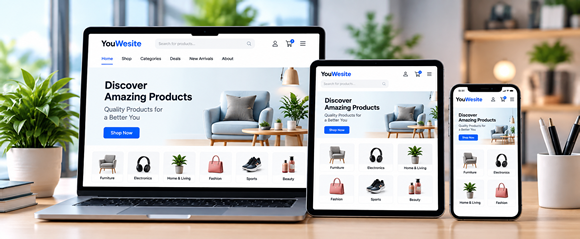
Customers may visit your shop, read a brochure or message your team. Keep product details, features, pricing, availability, terms, offers and updates consistent across the places you use.

Illustrative Your Business scene from the original landing page
Your Business

Your Business

Start With the Information You Know

Write down what you sell, who it helps, the price, availability and the conditions that matter. Keep one approved source so your people and channels can share the same details.

  • Product or service details
  • Features and useful information
  • Prices and availability
  • Terms, offers and updates
Plan this part of your setup
Illustrative Store and Print scene from the original landing page
Store and Print

Store and Print

Keep People and Printed Information in the Picture

Your shop team can explain products face to face. Brochures, pamphlets and booklets can help someone compare options later. A QR code can lead to an approved contact or chat page.

  • Walk-in questions and staff guidance
  • Printed product and service details
  • An approved link or QR for more help
Plan this part of your setup
Illustrative Digital Channels scene from the original landing page
Digital Channels

Digital Channels

Help People Find You on the Channels They Use

A website, app or shared chat page can give customers another place to ask. WhatsApp, Instagram, SMS and email can guide people to approved information. Confirm each connection and provider rule separately.

  • Website and mobile app
  • WhatsApp, Instagram, SMS and email
  • Chat URL, QR code and subdomain
Plan this part of your setup
Illustrative Your Customers scene from the original landing page
Your Customers

Your Customers

Make the Right Details Easier to Reach

People still need to understand pricing, features, availability and offers before deciding. Clear information and a human contact option can make that decision easier.

  • Answer repeat questions clearly
  • Keep information current
  • Give a useful next step and human contact
Explore Channel Examples

The Information Is Ready. Plan How It Reaches People.

Managing several channels takes time and coordination. An assistant is one useful part of that process—not proof of automatic AI access on every platform.

Your business. Always available.

Your Information. A Helpful Assistant. A Clear Next Step.

Prepare an assistant around your business—not generic answers. A deployed assistant can help outside working hours, subject to service availability, your plan and the tools enabled for your account.

Start With Your Business Information

Use current, approved content from the places your team already maintains.

  • Website pages, blog posts and FAQs
  • PDFs, presentations and business documents
  • Product catalogues, price lists and sheets
  • Video and audio transcripts where needed
  • Approved social media information
  • Relevant emails and messages, with permission
  • Manual text and custom business information

Confirm file types, upload limits and import options before setup. Do not add private information without permission.

Original illustration of a branded assistant learning from business information
Collect and review your information, then test the answers.

Ready for Customer Questions

Guide visitors through approved information and collect enquiry details when the relevant tool is enabled.

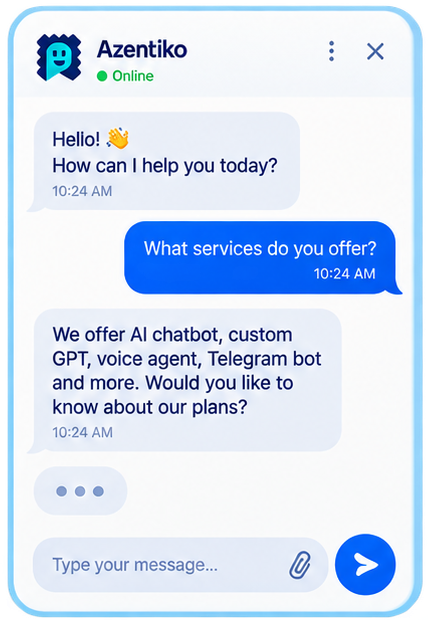
Illustrative business-assistant conversation, not a live chat

Illustrative chat. Your team confirms prices, purchases, bookings and personalised advice.

Let Your Team Focus on the Work That Needs People

Aim to reduce repeat questions, organise enquiries and keep information consistent. Review actual answers and results.

An assistant for everyday questions

What Could Your Assistant Help With?

Use your approved business information to support customer conversations. Tool availability, limits and actions depend on your plan and admin settings. Confirm the setup before relying on a feature.

Lead capture

Collect an enquiry and the details your team needs when the lead tool is enabled.

Callback requests

Let people request a call. Your team confirms when it can call back.

Appointment requests

Guide a meeting or service appointment request. Confirm calendars and staff approval before calling it a booking.

Contact details

Share approved phone, email, address and map information.

Product information

Explain product details, features and available options from your content.

Service details

Help customers understand the service, process and next step.

Pricing and plans

Share the prices and packages your team keeps current.

Offers and coupons

Explain current offers, coupon conditions and discounts from approved information.

Common questions

Make your frequently asked questions easier to find in a conversation.

Social links

Point visitors to the correct business profiles and approved contact channels.

Menus and commands

Plan useful choices and commands where those tools are enabled for your plan.

A personal business tone

Choose a suitable style, test it with your content and keep a clear route to people.

Plan Each Customer Channel

These nine routes were listed in the original landing page. Confirm plan access, provider rules and the required setup before using one. A channel link is not proof of an active AI connection.

Website
Check the website widget and the pages where it should appear.
WhatsApp
Agree how enquiries reach your team or an approved provider setup.
Instagram
Plan approved profile links or messaging workflows; check provider permissions.
Mobile App
Ask your developer to confirm app support and the connection needed.
QR Code
Link a printed QR code to an approved chat or contact destination.
SMS
Use permitted messages to share an approved link; confirm consent and provider costs.
Email
Share helpful contact or chat links; confirm any mailbox connection separately.
Chat URL
Confirm Full Page Chat access and the public link customers can open.
Subdomain
Check domain ownership, hosting and the chat-page setup with your team.

Choose a tone that fits

Your Business Should Still Sound Like You

These five original style illustrations show different directions. Language and personalisation support depend on your setup; test the questions and translations your customers need.

Illustrative assistant style: Professional and Formal

Professional and Formal

A clear tone for finance, insurance and B2B businesses

Illustrative assistant style: Friendly and Conversational

Friendly and Conversational

A warm tone for retail, eCommerce and general support

Illustrative assistant style: Casual and Youthful

Casual and Youthful

A relaxed tone for lifestyle, food, travel and D2C brands

Illustrative assistant style: Multi-Language

Multi-Language

Use the preferred language of your customers; examples include Hindi, English, Tamil and Bengali

Illustrative assistant style: Industry Specific

Industry Specific

Use relevant knowledge and tone for healthcare, real estate, education, travel and other industries

Hindi, English, Tamil and Bengali are examples of language needs—not a promise that every language or model is enabled for every account.

Compare the work, not promises

Where an Assistant May Help Your Team

All 22 topics from the original comparison are included. These are possible workflows, not guaranteed availability, accuracy, cost savings or sales results. People remain essential.

Check your plan, content, tools and policies for each workflow.
TaskManual approachAssistant-assisted approach
Initial greetingSomeone has to reply manuallyGreet visitors when the service is available
Remembering usersCustomer explains againWhere enabled and permitted, use saved details; check privacy and retention rules
Conversation historyPrevious conversation may be lostUse permitted chat history where enabled; confirm retention and access
General queriesDepends on staff availabilityHelp with common questions from your content; review answers because AI can make mistakes
Company informationUser searches or asks staffShares company details from approved information
Product informationWebsite, PDF, video or staff explanationExplain approved product information; your team keeps details current
Service informationCall, brochure, document or manual replyExplains service details
Pricing informationCall, email or WhatsApp neededShare published prices, plans and offers; confirm changes with your team
Availability and locationsStaff checks and replies laterShare recorded stock, branch and timing details, not an unconfirmed live inventory feed
Terms and conditionsUser reads manual documentsExplain supplied terms and link the complete policy; people handle legal decisions
FAQsSame questions answered again and againAnswers common questions
Contact detailsUser searches manuallyShares phone, email, address and map links
Social linksUser finds them separatelyShares social media links
Lead captureForm entry or staff note-takingCollect enquiry details when enabled, with a clear privacy notice
Callback requestCustomer waits for responseCollect a callback request when enabled; your team confirms the call
Appointment bookingManual coordination neededGuide an appointment request; a confirmed booking needs staff or calendar confirmation
Support request or ticketHandled by call, email or staffCan create a support request or ticket when configured
Follow-up supportFollow-up may be delayedPlan follow-up where the workflow is configured; do not assume automatic outbound messages
24/7 availabilityLimited to working hoursA deployed assistant may help outside office hours; service availability and plan limits apply
Speed of responseMay take minutes or hoursResponse time depends on the request and setup; test the questions that matter
ConsistencyReplies vary person to personUse common source information, keep it updated and review AI answers
Operational cost and lead conversionMore staff time; some leads may be missedAim to reduce repeat work and improve follow-up; measure actual costs and results

Your next step

Bring Your Questions.
See What Could Work for Your Business.

Explore the examples or request a guided walkthrough. Our team can help you check the plan, setup and tools you need.

A demo request opens your email app. Your team and ours will agree the next steps.