
AI for Business Messaging

See Indian business-messaging AI examples. Plan consistent answers, clearer enquiries and a reliable route to your team.

Friendly AzentiKo assistant waving hello

A useful starting point for Indian businesses

Where Can AI Help Your Team?

Communication teams can use AI to answer common service questions, collect a support request and keep replies consistent across approved channels. Privacy, consent, language quality and human escalation matter more than replying to every message automatically.

Indian businesses use conversational systems to answer routine questions across websites, apps and messaging channels. Good systems disclose when a person is needed and protect customer information.

Explore Live Demo Options
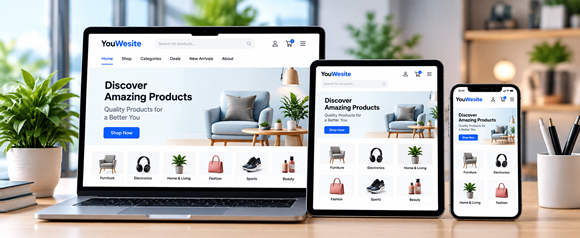
Illustrative devices used for business conversations
Illustrative industry artwork from our local assets. Not a customer deployment or proof of a product feature.

Learn from published work and clear ideas

Company Examples, Explained Simply

These names come from the supplied Indian enterprise reference. Published examples link to official company, technology-provider or public-service sources. Unconfirmed claims are labelled separately. None is an AzentiKo customer, partner or endorsement.

Reviewed . A historical publication does not confirm a service’s current availability or performance.

Yellow.ai

Published AI example

Yellow.ai describes enterprise conversational AI agents for customer service and business workflows across digital channels. Its public product pages discuss automation, knowledge and handover; language coverage and results vary by configuration and should not be inferred.

What a Smaller Business Can Learn

A business can automate approved first answers, collect structured details and route a case with context. Start with a small, measured topic set and review conversations before expanding the assistant’s authority.

Official enterprise-agent positioning reviewed; attachment language-count claim not used.

Yellow.ai conversational AI (opens in a new tab)

Haptik

Published AI example

Haptik presents conversational AI and messaging solutions for customer engagement, including commerce and support journeys. Public material describes channel workflows and automation; a specific brand deployment is not assumed from the general product pages.

What a Smaller Business Can Learn

A commerce team can let customers ask about products, delivery and returns in a familiar channel, then pass a complete request to staff. Keep order data and policy answers connected to approved systems.

Official product positioning reviewed; exact WhatsApp customer deployments are not claimed.

Haptik conversational AI (opens in a new tab)

Uniphore

Published AI example

Uniphore describes conversational automation, voice and conversation intelligence for contact centres. Its public product pages include agent assistance and analytics; the attachment’s specific voice-print deployment was not confirmed as a universal product behaviour.

What a Smaller Business Can Learn

A contact centre can use summaries and quality signals to help agents focus on the customer. Identity checks, recording consent and access to call data need clear governance and should never rely on an unreviewed model decision.

Official contact-centre AI positioning reviewed; biometric claim remains unconfirmed here.

Uniphore conversational automation (opens in a new tab)

CoRover

Published AI example

CoRover develops conversational AI assistants for public and enterprise use cases. Its public site describes multilingual virtual assistants and named deployments, including public-service journeys; exact current scope should be checked with the organisation.

What a Smaller Business Can Learn

A high-volume service can publish a narrow, reviewed knowledge base and make common steps easier in local languages. Always show the source of a policy answer and offer a human path for exceptions.

Official company and assistant positioning reviewed; no performance statistic is claimed.

CoRover BharatGPT and assistants (opens in a new tab)

SBI Life Insurance and Sarvam AI

Published AI example

Sarvam AI’s official customer story says SBI Life deployed an AI-powered WhatsApp assistant for frontline sellers. It supports product questions, sales collateral, premium calculations and underwriting guidance, with human-in-the-loop controls described for responsible use.

What a Smaller Business Can Learn

An insurer can use a controlled assistant to explain approved product information, calculate only from current rules and route a sales-agent question to authorised staff. Financial advice, customer identity and policy commitments need human and compliance review.

Official Sarvam AI customer story opened; exact scale and language counts are intentionally not repeated.

SBI Life builds AI applications with Sarvam AI (opens in a new tab)

Ideas you can plan with your team

Start With Everyday Customer Questions

These are illustrative workflows, not verified AzentiKo capabilities or measured customer results. Confirm the feature, data access and connection before implementing one.

Shared FAQ

A service team keeps one approved answer for delivery, billing and account questions, then routes exceptions with the customer’s consent and context.

A customer may ask
How do I update my contact details?

Lead enquiry

A local service business asks what the customer needs, records preferred contact time and sends a qualified enquiry to a sales person.

A customer may ask
Can someone call me about this service?

Multilingual support

A team offers a small set of tested language options and lets customers switch to a person when a translation or intent is unclear.

A customer may ask
Can I get this information in Hindi?

A Practical Business Scenario

A support team can let an assistant answer approved FAQs, collect an order or service request and hand over the full conversation to a trained person. Keep the knowledge source current, record consent where required and provide a clear route to human support for sensitive or unusual cases.

A small, sensible first step

Plan It. Test It. Then Decide.

Make the first workflow easy to check. Keep one person responsible for the information and the next action.

  1. Choose approved channels

    List each channel, owner, permission and retention rule before connecting customer conversations.

  2. Write consistent answers

    Create short, reviewed replies with a clear date and owner.

  3. Protect consent

    Tell customers how their information is used and avoid adding them to marketing without permission.

  4. Test languages

    Review real phrases with fluent speakers and provide an easy human fallback.

  5. Monitor hand-offs

    Check missed, duplicated and delayed enquiries so staff can improve the workflow.

Keep the Limits Clear

AzentiKo is not a telecom network, WhatsApp provider, consent registry or customer relationship system. Channel availability, sending permissions and storage need separate verification.

Messaging automation must respect consent, privacy, platform rules and human escalation. Do not send sensitive advice or make a financial, employment or policy decision without authorised review.

Check AzentiKo Features and LimitsPlan Your Data Connections

Common Questions Before You Start

Can one answer work everywhere?

The core information can be shared, but channel limits, privacy notices and tone may differ. Review each channel before publishing.

Can AI send marketing messages?

Only with the required consent, approved content and unsubscribe process. A support answer should not silently become a promotion.

How should teams handle unclear language?

Ask a short clarifying question or offer a person. Do not guess when the request concerns money, identity or a complaint.

What is a good first workflow?

Start with common FAQs and enquiry collection. Keep account changes, payments and complaints inside authorised processes.

Your next step

Bring Your Questions.
See What Could Work for Your Business.

Explore the examples or request a guided walkthrough. Our team can help you check the plan, setup and tools you need.

A demo request opens your email app. Your team and ours will agree the next steps.